
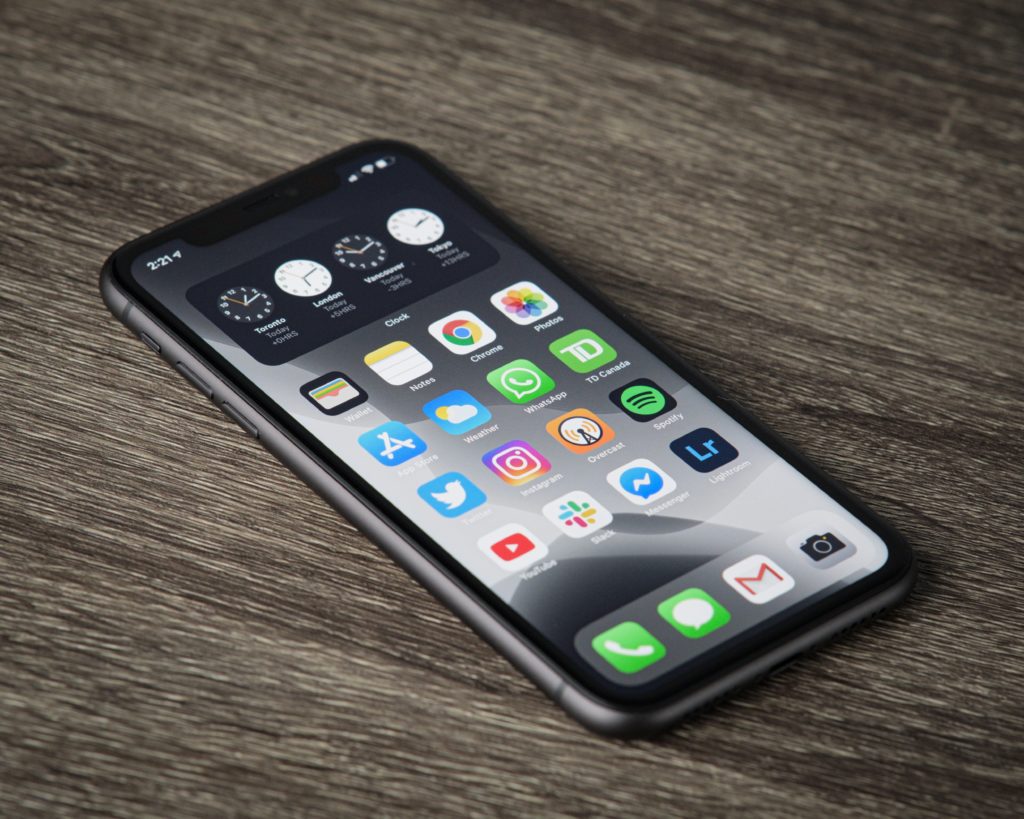
An iPhone 17 frozen screen can feel like a disaster, especially when your phone will not swipe, tap, unlock, answer calls, or respond to basic gestures. For most people, the first thought is simple: “Is my phone broken?” The honest answer is that it depends.
Sometimes, a frozen iPhone 17 screen is caused by a temporary software glitch, an app crash, low storage, overheating, or an iOS update issue. Other times, the problem points to damaged display hardware, a failing battery, internal board damage, liquid exposure, or a touch sensor problem.
If you are in Hollywood, FL and your iPhone 17 is stuck, lagging, black-screened, or not responding, this guide explains what may be happening, what you can safely try first, and when it is smarter to bring your phone to a local repair technician.
What Does “iPhone 17 Frozen Screen” Actually Mean?
A frozen screen does not always mean the same thing. Before you assume the worst, identify the exact symptom.
Your iPhone 17 may be frozen if:
- The screen is on, but nothing responds to touch.
- An app is stuck and will not close.
- The phone is stuck on the Apple logo.
- The screen is black, but the phone still vibrates or makes sounds.
- The lock screen appears, but Face ID and swiping do not work.
- The phone keeps freezing after a recent iOS update.
- The screen responds sometimes, then stops again.
This matters because each symptom points to a different cause. A stuck app is usually software. A black screen with sound can be display-related. A phone that freezes while charging may involve heat, battery, or power issues.
Common Reasons Your iPhone 17 Screen Freezes
1. Software Bugs After an iOS Update
The iPhone 17 runs on Apple’s newer iOS generation, and major software updates can occasionally cause app freezing, lag, battery drain, or temporary performance issues. This is especially common after a fresh update because the phone may still be processing files, indexing data, and optimizing apps in the background.
If the freezing started right after an update, the issue may improve after installing the latest iOS patch, updating apps, and restarting the device.
2. Too Many Apps Running Poorly
One bad app can make your iPhone feel broken. Social media apps, camera apps, games, video editors, and apps with heavy background activity can cause freezing if they are outdated or glitching.
If your iPhone only freezes inside one app, the phone itself may not need repair. Try updating the app, deleting and reinstalling it, or checking whether other users are reporting the same issue.
3. Low Storage Space
An iPhone with almost no available storage can slow down badly. When the system cannot create temporary files or manage app data properly, the screen may freeze, apps may crash, and the phone may restart randomly.
Go to Settings > General > iPhone Storage and check your available space. If storage is nearly full, delete unused apps, large videos, duplicate photos, and old downloads.
4. Overheating
Hollywood, FL heat is no joke. Leaving your iPhone 17 in a hot car, using GPS for long periods, recording video outside, or charging while gaming can push the phone into thermal stress. When that happens, the device may slow down, freeze, dim the screen, or stop responding until it cools.
Remove the case, disconnect the charger, and place the phone in a cooler indoor area. Do not put it in a freezer or directly under an air conditioner, because sudden temperature changes can create moisture risk.
5. Screen or Touch Digitizer Damage
If the iPhone 17 was dropped, bent, pressed in a tight pocket, or exposed to water, the frozen screen may be hardware-related. The display may look normal, but the touch layer underneath may not read your gestures correctly.
Signs of a possible display issue include:
- Dead touch zones
- Ghost touches
- Flickering
- Green, white, or black lines
- Touch working only after pressing the screen
- Screen freezing after a drop
In this case, software resets may not solve the problem.
First Fix: Force Restart Your iPhone 17
A force restart is the safest first step because it does not erase your data. Try this:
- Quickly press and release Volume Up.
- Quickly press and release Volume Down.
- Press and hold the Side Button.
- Release the button when the Apple logo appears.
If the phone restarts and works normally, you may have had a temporary software freeze. If it freezes again, the cause needs deeper troubleshooting.
What to Try If the Screen Keeps Freezing
Update iOS and Apps
Go to Settings > General > Software Update and install any available update. Then open the App Store and update your apps. This can fix known bugs, app crashes, and performance problems.
Free Up Storage
Aim to keep at least 10% to 15% of your storage available. If you have a 256GB iPhone 17, try to keep 25GB or more open for smooth performance.
Remove Problem Apps
If freezing happens after opening one specific app, delete that app and reinstall it. If the freezing stops, the issue was likely app-related.
Check for Water or Drop Damage
If the freezing started after water exposure or a fall, do not keep restarting the phone over and over. Internal damage can get worse. Bring it in for a diagnostic check.
How Much Does It Cost to Fix an iPhone 17 Frozen Screen?
Pricing depends on the cause. A software issue may only need troubleshooting. A damaged display, battery, or internal component will cost more.
| Issue | Typical Repair Direction | Estimated Local Cost Range |
|---|---|---|
| Software freeze or app issue | Diagnostic, reset, update | $0–$79 |
| Storage or system cleanup | Optimization service | $39–$99 |
| Battery or power issue | Battery testing/replacement | $99–$149+ |
| Screen/touch failure | Screen replacement | $199–$399+ |
| Water damage | Cleaning and board-level inspection | $79–$250+ |
| Motherboard issue | Advanced repair or data recovery | $150–$450+ |
These are general market ranges. The exact cost depends on the iPhone 17 model, part availability, warranty status, and whether the issue is software or hardware.
When Should You Visit Phones R Us in Hollywood, FL?
You should get your iPhone 17 checked if:
- The screen stays frozen after a force restart.
- The phone freezes every day.
- Touch works in some areas but not others.
- The phone was dropped or exposed to liquid.
- The screen is black, but the phone still makes sound.
- You need your data, photos, messages, or business apps protected.
- You do not want to risk making the problem worse.
At Phones R Us in Hollywood, FL, customers can get local phone repair support, free estimates, and help with common iPhone problems like screen issues, battery problems, water damage, data recovery, and phone diagnostics.
FAQ: iPhone 17 Frozen Screen
Why is my iPhone 17 screen frozen but still on?
This usually means iOS, an app, or the touch layer stopped responding. Try a force restart first. If it keeps happening, the issue may be software corruption or display damage.
Will force restarting my iPhone 17 erase my data?
No. A force restart simply reboots the phone. It does not delete photos, apps, contacts, or messages.
Can a cracked screen cause freezing?
Yes. Even a small crack can affect the touch digitizer. The display may still look usable while the touch function fails.
Should I repair or replace my iPhone 17?
Repair usually makes sense if the phone is in good condition and only needs a screen, battery, or software fix. Replacement may be better if the phone has severe liquid damage, major frame damage, or multiple failing components.
Final Answer: Do Not Ignore Repeated Freezing
A one-time iPhone 17 frozen screen may be harmless. A phone that keeps freezing is different. It can signal a deeper software issue, damaged screen, weak battery, overheating problem, or internal hardware failure.
Start with a force restart. Then update iOS, update apps, clear storage, and watch for patterns. If the problem keeps coming back, bring your device to Phones R Us in Hollywood, FL for a professional diagnostic before the issue gets worse.